

This guide explains how to restore water-damaged electronics, emphasizing that fast action is critical since corrosion begins the moment water touches a circuit board. The advice comes from hands-on restoration work after floods and burst pipes across Colorado homes.
- Cut power immediately, remove batteries if possible, drain standing water, and let devices air dry with a fan - rice does not work and can leave debris in ports.
- Clean tap water offers the best recovery odds while sewage or salt water exposure usually means the device is lost. Check for burning smells or visible corrosion before attempting repair.
- Larger electronics like TVs and computers need professional inspection before powering on. Document all damage with photos and serial numbers for insurance claims before discarding anything.
To restore water-damaged electronics, immediately power off the device and remove the battery if possible. Do not attempt to turn it on, as this can cause short circuits. Gently shake out excess water, then place the device in a container of uncooked rice or silica gel packets for 24 to 48 hours to absorb moisture. For severe damage, professional cleaning with isopropyl alcohol may be needed to remove corrosion from circuit boards.
A dropped phone in a bathtub and a flooded home theater both start the same clock. The moment water touches a circuit board, corrosion begins. Fast, correct action decides whether your water-damaged electronics survive or head to the landfill.
This post walks you through what to do in the first minutes, what to avoid, and when to call for help. The steps come from hands-on restoration work after floods, burst pipes, and appliance failures across Colorado homes.
Why Water Damages Electronics So Fast
Water damages electronics by creating unintended electrical paths and by corroding metal contacts. Both happen quickly.
Powered circuits short out when water bridges components that should stay separate. Even unpowered devices corrode as minerals and impurities in the water react with copper and solder.
Clean tap water is the least destructive. Dirty floodwater and salt water are the worst. Floodwater carries sediment, sewage, and dissolved salts that accelerate corrosion within hours.
Not All Water Is Equal
- Clean water (tap, rain, supply line): best odds of recovery
- Gray water (dishwasher, washing machine): moderate risk from detergents and grease
- Black water (sewage, river flooding): high contamination, low recovery odds
First Steps for Water-Damaged Electronics
Cut power first. This single action prevents most permanent damage to water-damaged electronics.
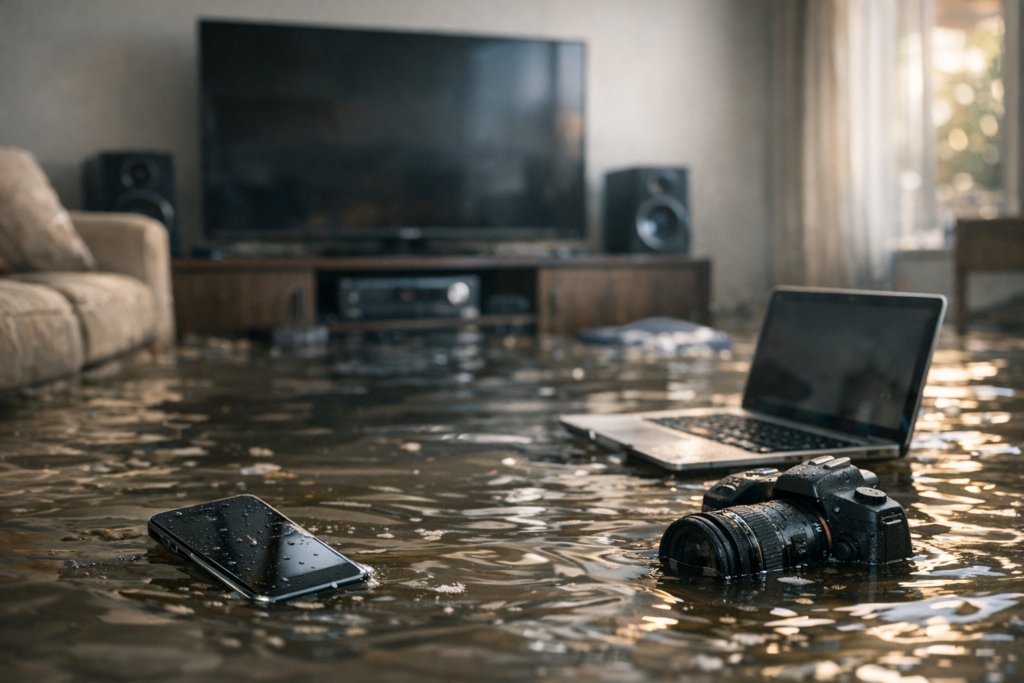
Follow these steps in order for any small device that got wet:
- Stop the power. Unplug the device or shut off the breaker feeding it. Do not touch a wet plugged-in device with bare hands.
- Remove the battery if the design allows. Sealed phones stay powered inside, which raises short-circuit risk.
- Do not press buttons or turn it on to test. Every press can drive current across wet contacts.
- Pour out standing water. Tilt the device to drain ports, hinges, and seams.
- Wipe the exterior with a lint-free cloth. Remove cases, covers, and SIM trays.
- Let it air dry in a warm, dry spot with airflow. A room with a fan works better than sealed containers.
Time matters more than technique. A device dried within an hour survives more often than one left overnight.
The Rice Myth: What Actually Helps
Rice does not save wet electronics. It absorbs a little ambient moisture, but it cannot pull water out of sealed enclosures or off circuit boards.
Worse, rice dust and starch can lodge in ports and speaker grilles. Restoration technicians see rice grains stuck in charging ports weeks later.
Better Drying Methods
- Silica gel packets in a sealed container pull moisture faster than rice
- Warm, moving air from a fan across an open device beats any container
- Isopropyl alcohol (90%+) displaces water and evaporates cleanly on exposed boards
Skip the hair dryer on high heat. Heat above 120°F warps plastic, melts adhesive, and cracks solder joints.
Assessing Whether a Device Can Be Saved
The decision to repair depends on the water type, exposure time, and the value of the device. Run this quick assessment before you invest effort.
Signs a Device May Recover
- Short exposure to clean water, under a few minutes
- Power was off or removed immediately
- No burning smell or visible scorching
- Corrosion has not yet formed on visible contacts
Signs a Device Is Likely Lost
- Submerged in sewage or salt water
- Powered on while wet and now smells burnt
- Green or white crust on connectors (corrosion)
- Screen shows spreading discoloration or dead pixels after drying
Check for a liquid contact indicator. Most phones have a small sticker that turns red or pink when wet. It confirms internal exposure.
How to Handle Larger Water-Damaged Electronics
TVs, desktop computers, and appliances follow different rules than phones. Larger units hold more water in more places and carry higher voltage.
Never plug in a wet TV, computer, or appliance to check if it works. Capacitors in these units store dangerous charge even when unplugged.
Computers and Data Recovery
Pull the hard drive or SSD before worrying about the rest of the machine. Data survives water more often than the computer around it.
A drive that got wet should stay powered off and go to a data recovery specialist. Spinning up a wet drive can destroy the platters permanently.
Appliances and Home Systems
Water-damaged furnaces, HVAC units, and washing machines need inspection before any restart. Wet control boards and motors can fail or start a fire.
Have an electrician or restoration technician verify safety first. This is standard after a basement flood or burst supply line.

 Posted on Google
What Restoration Technicians Do Differently
Electronics restoration in a controlled setting goes beyond drying. Technicians disassemble the device and treat the boards directly.
Common steps in the field include:
- Full teardown to expose every board and connector
- Ultrasonic cleaning baths that remove corrosion and residue from circuit boards
- Deionized water rinses that leave no mineral deposits behind
- Controlled drying chambers that hold steady low humidity for hours
- Contact treatment to stop corrosion from returning
This work matters most after whole-home water events. A flooded basement can leave dozens of devices, from gaming consoles to security systems, all wet at once.
Documenting Damage for Insurance
Photograph every wet device before you clean or move it. Insurance claims for water-damaged electronics need proof of the loss.
Keep a list with model numbers, serial numbers, and rough purchase dates. Adjusters approve claims faster with clear documentation.
- Photos of each device where it was found
- Photos of the water source and affected room
- Receipts or bank records showing original cost
- Any repair estimates you gather
Do not throw damaged devices away until the adjuster confirms it. Discarded items can be denied on a claim.
When to Call Best Option Restoration
Call for help when water reaches multiple devices or when the water was contaminated. A single wet phone you can handle at home. A flooded room full of electronics needs faster action than air drying allows.
Best Option Restoration responds to water events in Lakewood and surrounding Colorado communities. Our team addresses the water source, dries the structure, and coordinates electronics restoration so devices get treated before corrosion sets in.
Speed is the deciding factor. The sooner drying and cleaning begin, the more devices survive.
Key Takeaways
Cut power immediately, drain the water, and dry with airflow or silica gel rather than rice. Assess the water type and exposure time to judge recovery odds. Larger units and contaminated water call for a technician, not a home fix.
If a flood, burst pipe, or appliance failure has left your electronics wet, act fast. Contact Best Option Restoration at 303-500-3187 (call or text), email info@borlakewood.com, or visit https://borlakewood.com.
Sources
- U.S. Consumer Product Safety Commission – Flooded Electrical Equipment Safety
- Ready.gov – Floods Preparedness and Recovery
- National Fire Protection Association – Electrical Safety